Transition To A Faster, More Productive, And More Fun Digital Workflow In 6 Weeks Using Procreate
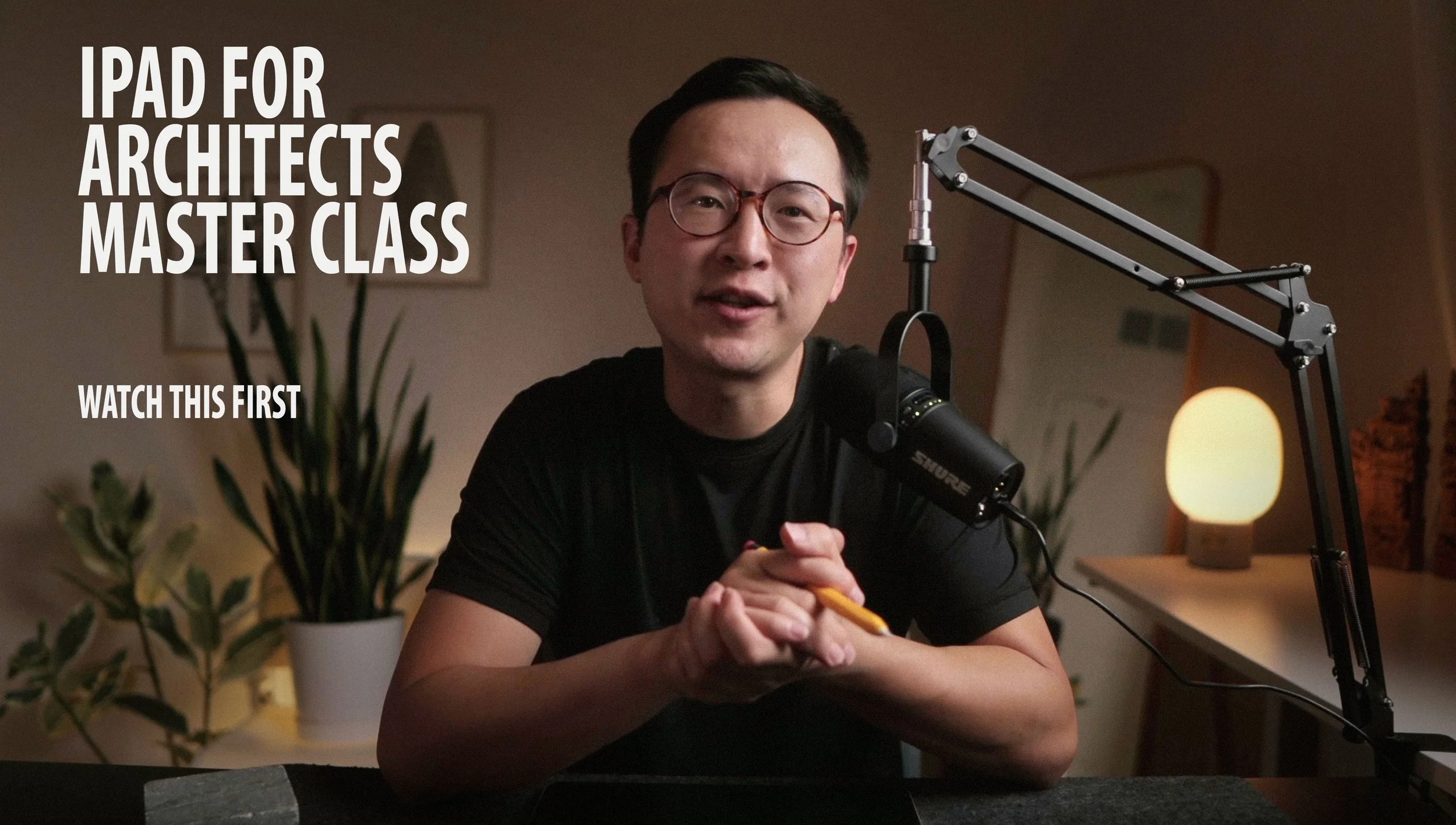

Get everything you need to master using an iPad with Procreate as an architect or interior designer — from high-level strategies to step-by-step feature guidelines and tailor-made individual support.
Procreate mastery & improved digital workflow adoption guaranteed even if you’ve never used an iPad before.
Or you don’t pay.
3,500+ Students Used My Methods & Training to Revolutionize The Way They Work
How Many Of These Statements Do You Recognize Yourself In?
The fear of making mistakes when sketching holds you back and stops you from confidently expressing your best ideas.
Sharing drawings with clients, coworkers, builders, consultants, etc., is a real drag and takes too much time.
Post-production takes a ton of time with all the scanning (and rescanning), photoshopping, editing, and endless file management.
You’re tied down to the office and your computer, scanner, printer, etc.
You lean a bit too heavily on the computer process and feel like you’re losing touch with the artistry and essence of design.

Imagine If You Could Recognize Yourself In These Statements Instead …
in just 6 weeks from now
You can fully immerse yourself into sketching without the fear of making mistakes.
It’s never been more fun for you to draw, and the end results have never been better.
You can tell colleagues and clients love your work & presentations, which you can share in a couple of clicks.
You have an efficient workflow that lets you harness the power of digital tools while getting the best out of the pen & paper way.
You are free to work from anywhere because all your design tools snuggly fit into one device.

INTRODUCING
The Procreate 2.0 Master Class
A Step-By-Step Program Designed To Help You Embrace An Optimized Digital Workflow And Streamline Your Design Process Using An iPad With Proceate…
(Even If You Don’t Currently Own An Ipad And Are A Complete Tech Neanderthal)
Transition to drawing on an iPad in a clear, simple, and easy-to-execute manner. Pick up the workflow I’ve perfected since 2017 and master Procreate while taking your productivity and efficiency to the next level in just 6 weeks.
It worked for 3,500+ students even without the extra bonuses I’m offering now.
Here’s why it will also work for any architect or interior designer willing to commit and fast…

49k Subscribers

I understand you’re strapped for time.
That’s why I made the program so easy to consume and incorporate into your current process without any halts or project delays.
Thanks to my Golden Retriever Study Plan, you can learn the ins and outs of Procreate in 5 hours and with less than 8 minutes of learning per day.
Or you can spend 50 minutes per day and see dramatic improvement in 6 days.


I understand your needs are unique.
That’s why I made sure all workflows, techniques, and strategies are easily transferable between architecture, interior, and landscape applications.
Plus, you get one-on-one support and a chance to ask as many questions and seek further explanations as you like.


I understand you don’t want to overspend to improve your workflow.
That’s why I’m not only offering you the course at an affordable bargain price…
But am also including guarantees that make your investment in the program completely risk-free.
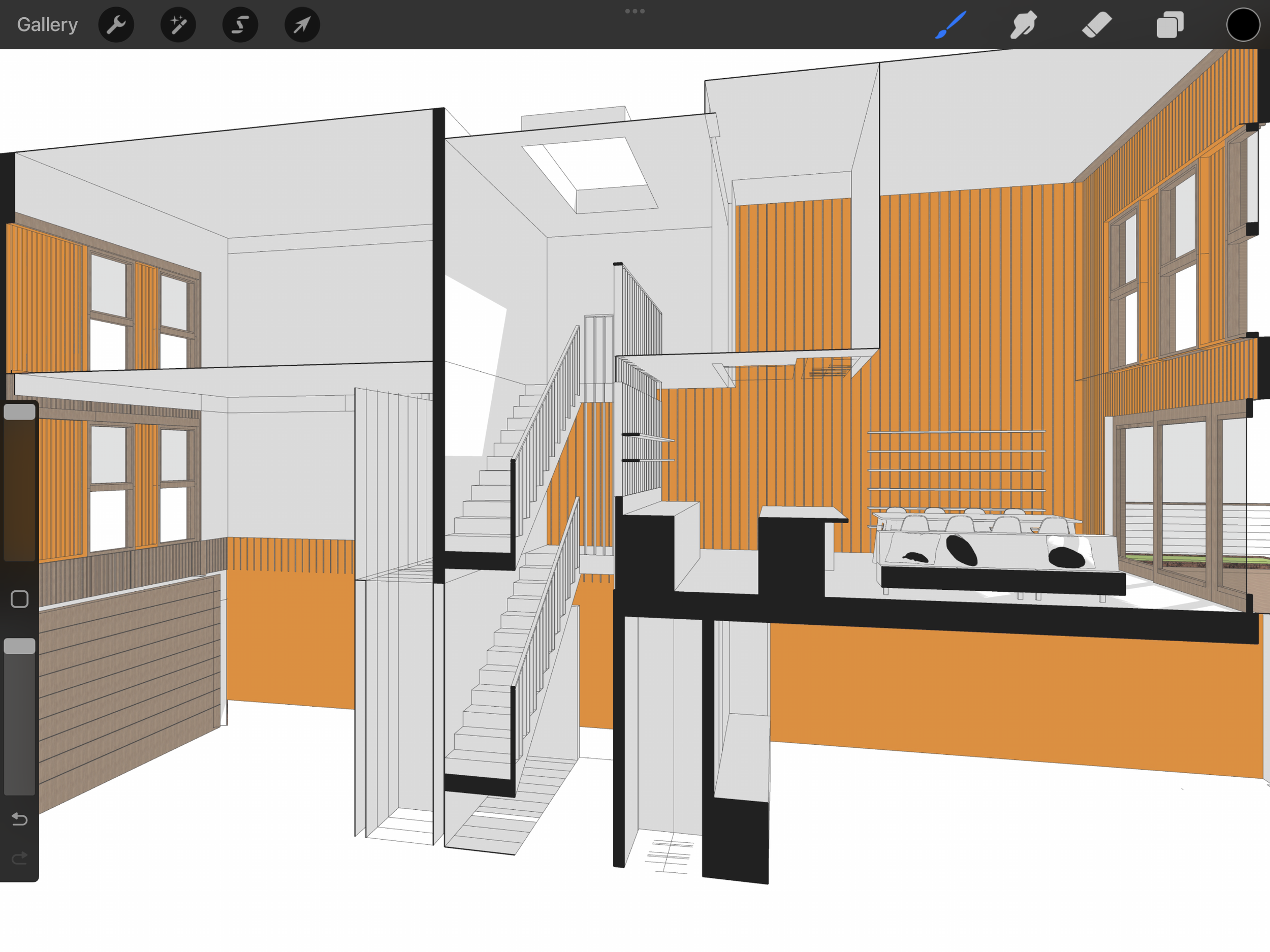

I understand you’re skeptical about my promises.
That’s why I invite you to check out the results and stories of some of my 3,500+ students below.
Many were also strapped for time, stuck using under-optimized processes, and eager yet reluctant to make the first step to leveraging the power of digital.
My methods & training have worked for them. I’m confident they will for you too as long as you’re willing to put in the work and apply what you learn.


Real Stories From Real Students
Mike Fisher, Architect, USA
Lauren Keene, Architect, USA
Eric Reinholdt, Architect, USA
Featured In








When Should You Choose Procreate As Your Go-To Drawing App …
If you want to create detailed & provocative renderings, sketches, and drawings — using Procreate should be a no-brainer. That’s because of two things:
First, you get a Photoshop-like range of customizable brushes, textures, and other artistic features.
Second, Procreate’s robust layer management combined with advanced blending, opacity, and masking options can take your visualization to a whole new level.
So, choose Procreate if you strive for artistic freedom and high-resolution sketches & drawings.
On the other hand, if your priority is reading PDFs, annotating, redlining, and creating standard architectural workflows — check out Morpholio Trace first.

What You’ll Learn Inside The Procreate 2.0 Master Class
This course includes 3 easy-to-follow modules that walk you from opening Procreate for the first time… to mastering all the important technical aspects and best workflow practices.
Here’s what you’ll learn in each module:
-
Get everything you need to work with Procreate from a technical standpoint. Done in an hour and can always be easily used as a reference when you need a refresher. That’s because techniques are separated into smaller, easy-to-access chunks.
-
Use 5 real case study drawings I’ve completed to discover & internalize all possible practical applications of Procreate. You not only get to see my workflow & thought process completely laid out — but can also discover exactly how to use it to create/improve your own.
-
You get the recordings of 8 workshops (6.5 hours of practical advice) I could offer for around $2,000, given my current hourly consult rate. The workshops walk you through working with scale, the interior sketching process, using the perspective feature, coloring strategies, the rendering process, and much more.
-
● How to master working in scale and with photos
● Integration to AutoCAD, Revit, ArchiCAD
● How to sketch over photos and renderings
● Adopting a seamless & productive multi-point perspective workflow
● How to organize and collaborate on projects within a multi-person firm
● Creating a highly productive yet flexible design iteration process
● How to integrate & seamlessly connect your iPad and Desktop workflows
● How to merge, move, copy, and paste an image selection (like in Photoshop) without unnecessary work?
● Creating an efficient layer management process
● Ideation & concept development in both 2D and 3D
● How to take advantage of Procreate’s built-in support for complex layer management to create provocative, high-resolution sketches and drawings
● The crucial things that ensure you can always create a successful composition
● How to create intricate visualizations with detailed & rich effects you can find only in the work of a select few architects
● How to keep your drawings organized even when dealing with multiple sketches, dimensions, and annotations?
● Tips & tricks that ensure drawing on the iPad becomes second nature to you
● PDF annotation, markups, and measuring techniques
● How to work effectively with a small iPad real estate without squinting and hurting your back
● How to use Procreate’s wide range of customizable brushes, textures, and artistic tools to create beautiful illustrations & drawings that stand out
● Architectural detailing (ASKs)
● Easy transition from concept to detailed design
● Enhanced precision with grids, guides, and snap-to functions
● How to use Procreate’s advanced blending modes, opacity, and masking options to create compelling sketches and captivating client presentations
● And much, much more
-
You get just the right mix of theory & practice that ensures you understand high-level strategies, have full command of the app’s features, and know exactly how to use Procreate in your everyday workflow.
This is possible because I break down the course into 3 components:
1. Use Scenario. I show you exactly what I’m using Procreate’s features for and ensure you understand how to use them for different applications based on your unique needs.
2. Feature Demonstration. I’ll give you a step-by-step walkthrough of ALL the features I use in every workflow. But I won’t bother you with unnecessary features and will cover only the ones you’ll actually use.
3. Companion Workbook (Student Practice). You’ll get downloadable exercises and case studies for practice and further analysis. Meaning you can actively learn and see how to apply everything in practice.
Here's What The Procreate Master Class 2.0 Includes
-

Easy To Consume & Follow Video Course 2.0
The bite-sized lessons cover both big-picture strategies and detailed step-by-step instructions while making it easy to zero in on specific topics or sections that are most important to you.
You’ll learn only essential tools & techniques that you’ll actually use. This saves time and ensures you stay focused on what really matters.
-

Companion Workbook
You get exercises that ensure you can apply everything you learn. Simply import the case study files to your iPad and get a practical look into how experts use Procreate.
You can go over the exercises at your own pace and as many times as you want.
-

Private Community Access
In a sense, the gated Skool community can be as valuable as the Master Class itself:
It ensures continuous improvement, rekindles your love for the craft, and gives you a go-to place for all the problems you face with Procreate, using an iPad, and beyond.
-

Bonus: Private Feedback On Your Work
Send me anything you’re working on and get a full-blown audit. I’ll help you identify areas to improve and optimize — in file makeup, techniques, or logic.
You’ll also get a recording of the audit so you can reference it whenever you want.
There is absolutely no limit on how many audits you can get. So, feel free to send your work as often as you need and until you’re 100% satisfied with the result.
-

Bonus: Two 1-on-1 Coaching Sessions With Me
Most people hop on the first call when they enroll. This ensures we figure out your unique priorities & goals and set you up for success.
But you can schedule both calls whenever you want — the option never expires. I will stay on as long as it takes to figure out your unique struggles…
And ensure you have all you need to create a workflow that fits your needs like a glove.
-
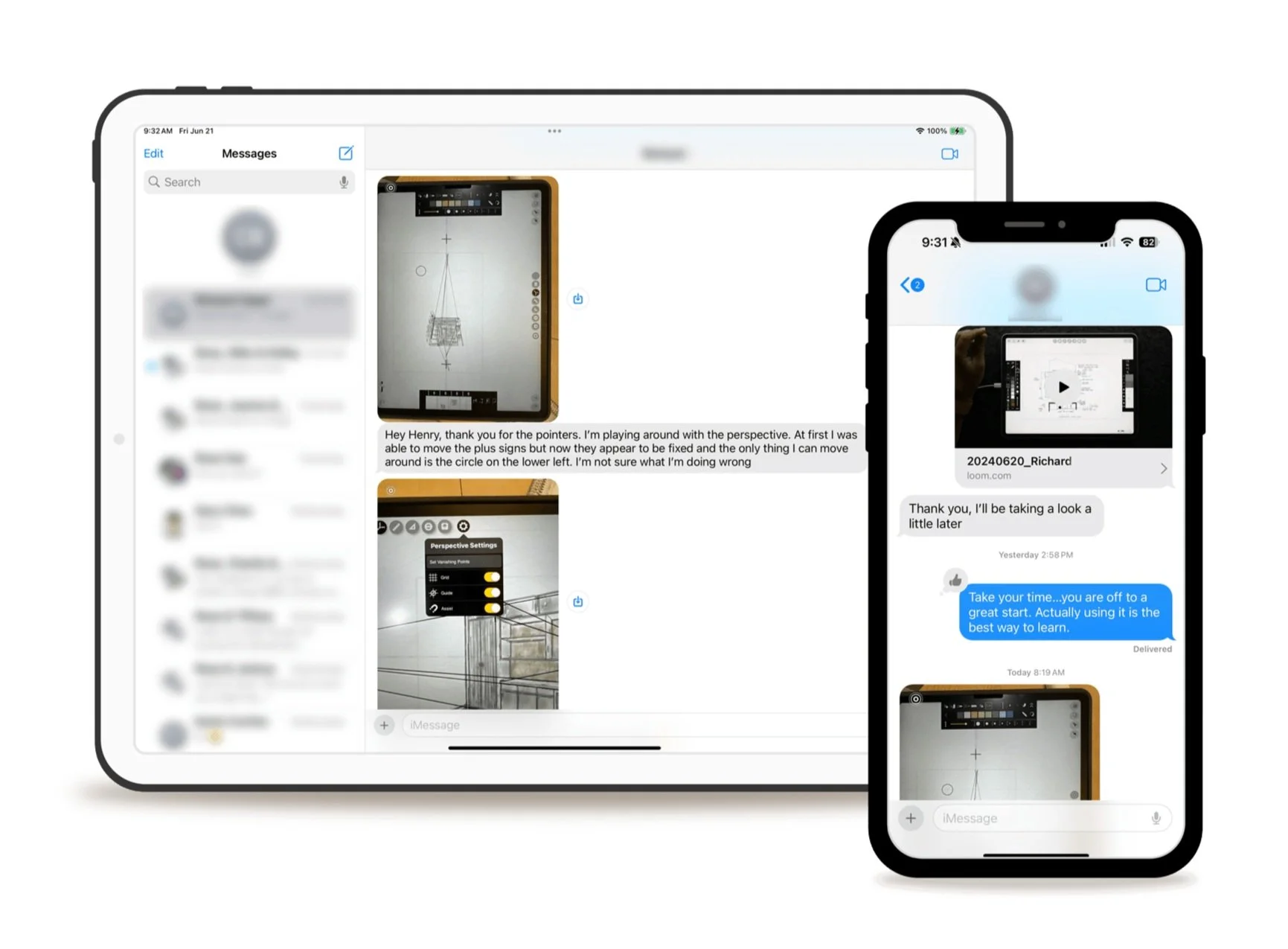
Bonus: Unlimited Anytime Access To Henry Via Email Or Text
You’ll get my private email address and cell number. Feel free to use it to text me anytime with iPad-related questions or comments — you’ll get a reply in 24 hours max and usually within 12 hours.
I added this feature to ensure you can get instant responses when in a snag during a project…
Without needing to book a one-on-one call or wait for office hours.
-

Bonus: Weekly Office Hours
In a nutshell, you get an hour every week from now to perpetuity to ask me anything you want via Zoom.
Plus, you get to see what your fellow architects & interior designers are asking and struggling with. And can even share your iPad screen for diagnostics and step-by-step help.
-

Bonus: Access To Henry’s Private Case Study Vault
You get lifetime access to an ever-growing case study vault that covers all your drawing needs and ensures you always have a starting point for your work.
Currently, the vault contains 30+ case studies from me and other experts you can instantly download to your iPad.
-

Bonus: Exclusive Workshops With Industry Experts
Get practical walkthroughs, tips, and foundational tactics from industry experts on relevant topics, including SketchUp for iPad, architectural illustration, AI, and more.
The behind-the-curtain insights into how proven experts work give you a guaranteed edge and make an immediate & huge impact on your drawing results.
The Do-It-Yourself Plan
(COURSE 2.0 WITH WORKBOOK & COMMUNITY ACCESS)
$497
OR 6 Monthly Payments of $97
✔️ Step-by-Step Video Course 2.0
✔️ Companion Workbook
✔️ Private Community
❌ Bonus: Weekly Office Hours
❌ Bonus: Private Feedback On Your Work
❌ Bonus: Two 1-1 Coaching Session With Henry
❌ Bonus: On-demand coaching to Henry via text
❌ Bonus: Access to Henry’s Private Case Study Vault
❌ Bonus: Exclusive Workshops With Industry Experts
The VIP Plan
(COURSE 2.0 + ACCESS TO HENRY + BONUSES)
$997
OR 12 Monthly Payments of $97
✔️ Step-by-Step Video Course 2.0
✔️ Companion Workbook
✔️ Private Community
✔️ Bonus: Weekly Office Hours
✔️ Bonus: Private Feedback On Your Work
✔️ Bonus: Two 1-1 Coaching Session With Henry
✔️ Bonus: On-demand coaching to Henry via text
✔️ Bonus: Access to Henry’s Private Case Study Vault
✔️ Bonus: Exclusive Workshops With Industry Experts
Two Guarantees That Make Your Investment Completely Risk-Free

60-Day “You Go Digital Or You Don’t Pay” Guarantee
If you don’t feel the program has lived up to its promises or if you want your money back for any reason…
Just shoot one email to support@henrygao.com saying you want a refund without any explanation. You’ll instantly get it — no questions asked.
+
The Never Expiring "Switch If Not A Fit" Guarantee
If after going through the program, you find that Procreate can't be your go-to app for any reason at any time...
Just say the word, and you'll gain access to my Morpholio Trace Master Class instead at no extra cost.
Join Thousands Of Architects & Interior Designers Who Have Transformed The Way They Work With The iPad + Procreate Combo
-

Henry has brought back the romance of the handcraft of the architecture industry! The iPad with Apple Pencil has been released for 7+ years and no one on the internet besides Henry has created such a robust course that will teach architects of any experience level the skills required to maximize the power of the iPad in the Architectural Industry!
Devon, California
-

The content is well-structured, engaging, and delivered by a knowledgeable expert who has a knack for breaking down complex concepts into simple, easy-to-understand steps. What sets these tutorial videos apart is the clarity and attention to detail. Each video is meticulously crafted, covering every aspect of the subject matter, leaving no stone unturned.
Mykel, Utah
-

I enjoyed hearing his personal insight throughout each lesson. My favorite part of this course was the Case Studies, where we’re invited to watch his thought process of bringing some of his own projects to life. You can tell, especially here, that Henry really wants you to succeed at Procreate
Whitney, New York
-

Henry's architect/interior designer focused content helps refine existing skills and inspires/develops new skills and workflows. The content is clear, direct and directly applicable to the iterative design process. Henry's mentoring and design expertise shines in how he explains each lesson and takes you through his process.
Adam, Long Beach USA
-

I found it tedious to draw by hand so I started to rely more on digital CAD tools, which made me disconnect my hands from my creative process. I think the procreate course is a great way to reconnect with my hands while designing.
Beatriz, Honduras
-

This course is something I have been curious about and searching for for a really long time. Hand sketching and drafting was something I did in school, but after practicing architecture mostly in 3D modeling software, I have become very reliant on digital tools. I believe that Henry bridged this gap for me with this course.
Julius, California
-

Not only will Henry guide you through all the tools to produce a final drawing, he will also share helpful tips. I enjoyed hearing his personal insight throughout each lesson.
Aleks, London
-

Having Henry as a guide has made it effortless. His step by step process, colored with useful tips along the way, demystifies the complexities of drawing on an iPad and makes it accessible to all.
Omar, Maryland
-

This course is great for getting you setup to be ready to create digital designs! So many good tips and tricks that I would have never found on my own.
Benjamin, British Columbia
-

His deep experience of art principles, NOT just technique will make you transcend the technical and mechanical aspects. I totally recommend this course regardless of your profession and level of experience,... Interior Designers, Designers, Landscape Architects, Architects, Artist, Enthusiastic's.
Rafael, Texas
-
![]()
Henry has brought back the romance of the handcraft of the architecture industry! The iPad with Apple Pencil has been released for 7+ years and no one on the internet besides Henry has created such a robust course that will teach architects of any experience level the skills required to maximize the power of the iPad in the Architectural Industry!
Devon, California
-
![]()
The content is well-structured, engaging, and delivered by a knowledgeable expert who has a knack for breaking down complex concepts into simple, easy-to-understand steps. What sets these tutorial videos apart is the clarity and attention to detail. Each video is meticulously crafted, covering every aspect of the subject matter, leaving no stone unturned.
Mykel, Utah
-
![]()
I enjoyed hearing his personal insight throughout each lesson. My favorite part of this course was the Case Studies, where we’re invited to watch his thought process of bringing some of his own projects to life. You can tell, especially here, that Henry really wants you to succeed at Procreate
Whitney, New York
-
![]()
Henry's architect/interior designer focused content helps refine existing skills and inspires/develops new skills and workflows. The content is clear, direct and directly applicable to the iterative design process. Henry's mentoring and design expertise shines in how he explains each lesson and takes you through his process.
Adam, Long Beach USA
-
![]()
I found it tedious to draw by hand so I started to rely more on digital CAD tools, which made me disconnect my hands from my creative process. I think the procreate course is a great way to reconnect with my hands while designing.
Beatriz, Honduras
-
![]()
This course is something I have been curious about and searching for for a really long time. Hand sketching and drafting was something I did in school, but after practicing architecture mostly in 3D modeling software, I have become very reliant on digital tools. I believe that Henry bridged this gap for me with this course.
Julius, California
-
![]()
Not only will Henry guide you through all the tools to produce a final drawing, he will also share helpful tips. I enjoyed hearing his personal insight throughout each lesson.
Aleks, London
-
![]()
Having Henry as a guide has made it effortless. His step by step process, colored with useful tips along the way, demystifies the complexities of drawing on an iPad and makes it accessible to all.
Omar, Maryland
-
![]()
This course is great for getting you setup to be ready to create digital designs! So many good tips and tricks that I would have never found on my own.
Benjamin, British Columbia
-
![]()
His deep experience of art principles, NOT just technique will make you transcend the technical and mechanical aspects. I totally recommend this course regardless of your profession and level of experience,... Interior Designers, Designers, Landscape Architects, Architects, Artist, Enthusiastic's.
Rafael, Taxas


Frequently Asked Questions
-
You get instant access to the course via Skool as soon as you enroll. You can also instantly post and get help from me and your peers in the private community.
-
No, you’ll have lifetime access to the core program and any future updates.
-
Even though the core of the Master Class focuses on exercises for architects and interior designers, I’ve also added some specific workflows for landscape architects.
Also, all workflows, techniques, and strategies are easily transferable between architecture, interior, and landscape applications.
-
My office hours schedule is listed under the calendar tab inside the gated Skool community. They are generally every Wednesday from 12 p.m. to 1 p.m. Pacific Time.
If you cannot attend, you can send me your specific question ahead of time via email or message, and it will be answered at the beginning of the next office hour.
-
The Master Class is designed for the iPad and uses a workflow centered around Procreate.
So, the only necessity is to have an iPad model that’s compatible with the Apple Pencil. (1st or 2nd generation). And a Procreate subscription (one-time payment of $12.99).
You don’t need any tech knowledge to transform your workflow in 6 weeks. If you follow the program, this will happen even if you’ve never used an iPad before.
P.S. I can offer tailor-made advice that ensures you don’t spend a single cent more than necessary on an iPad that can satisfy all your needs.
-
My promise is mastery in 6 weeks tops if you follow my curriculum.
However, how quickly you can start implementing what you learn depends entirely on you. Some students spent anywhere from 30 minutes a day to up to 2 hours to complete the core program in a week.
It all depends on your learning speed, design background, and motivation.
You can always follow my Golden Retriever Study plan that ensures you can learn the ins and outs of Procreate in 5 hours and with less than 8 minutes of learning per day.
-
Imagine the freedom of hand drawing without being tied to an office, gaining the confidence to draw more without fear of errors and judgment, and the ability to work from any location.
What is that worth to you?
With a small investment of your time and money, I hope you will see a radical ROI on your time, productivity, and lifestyle.
-
Imagine the freedom of hand drawing without being tied to an office, gaining the confidence to draw more without fear of errors and judgment, and the ability to work from any location.
What is that worth to you?
With a small investment of your time and money, I hope you will see a radical ROI on your time, productivity, and lifestyle.
-
The Master Class specifically focuses on teaching a design workflow using the iPad and Procreate. So, most of the lessons are centered around technical features and workflow methods rather than on improving existing drawing skills.
I won't sugarcoat it — my Master Class won't magically make you into a better sketcher overnight. But it can take away some of that stress and worry tied up with hand drawing. Many of my students have told me that becoming proficient in the digital process has encouraged them to draw more.
In a nutshell:
If you’re just looking to improve your drawing skills — my Master Class shouldn’t be your go-to.
But if you’re looking to make the most out of your drawing skills and use them more efficiently & quickly while producing higher-quality work — my Master Class is for you.
-
If you have the “Done For You” Ultimate Package, you can ask me anything during dedicated Office Hours and get an instant reply. Or schedule a 1-on-1 call with me.
Plus, all packages let you post in the private community and get support from me and your peers.
-
I’ll show you how to draw on digital layers like you would on paper… just faster and more efficiently.
If this doesn't happen by the end of the Master Class, my 60-day guarantee and a no-questions-asked refund policy have you covered.
-
If you don’t feel the program has lived up to its promises and you haven’t mastered using the iPad with Procreate while becoming faster and more productive…
Or if you want your money back for any reason…
Just shoot one email to support@henrygao.com saying you want a refund without any explanation. You’ll instantly get it — no questions asked.
You can send that email any time within 60 days after enrolling.
-
Send an email my way and I’ll be happy to provide you with a personalized response. You can reach me at support@henrygao.com.
Special thanks to all who made creating this program possible - transforming 3,500+ architects' careers wouldn't have happened without you: Red Dot Studio and Storey Design.